

Ever grabbed your TV remote only to find it barely responds? Or discovered a white crusty mess inside your kid's toy? Those are just two signs your alkaline batteries might be on their last legs. But here's the thing—not all dying batteries show obvious symptoms, and some "dead" batteries might actually have life left in them.
We'll walk you through five clear signs that indicate when your batteries need replacing. Whether you're dealing with AA batteries in your remote or AAAs in your wireless mouse, these indicators work across the board. Let's jump right in.
Your Devices Are Acting Sluggish

The most obvious sign? Your battery-powered gadgets start losing their mojo. Your remote control needs multiple button presses to work. Your flashlight dims noticeably. That wireless keyboard starts dropping letters when you type.
This happens because alkaline batteries gradually lose voltage as they discharge. A fresh AA battery starts at about 1.5 volts, but as it drains, that voltage drops. Most devices will start acting weird when batteries hit around 1.2 volts and often stop working completely below 1.1 volts.
Here's what you might notice: dim LED lights, slower motor speeds in toys, or spotty performance in digital devices. Sound familiar? Before you assume the device itself is broken, swap in fresh batteries. If the problem disappears, you had dying batteries. At Voniko Batteries, we design our alkaline batteries to maintain consistent voltage output longer, so your devices perform reliably throughout the battery's life.
The Battery Case Looks Swollen or Bulging
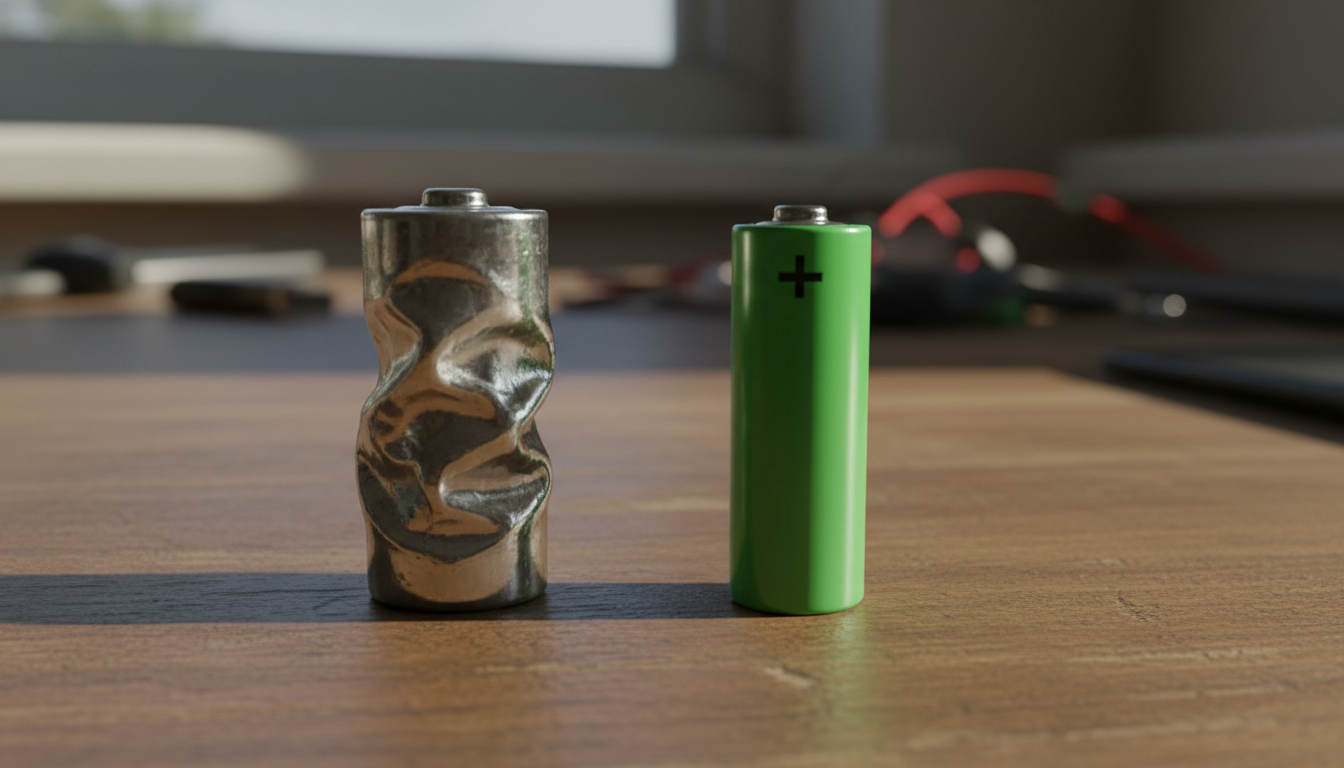
Pick up your batteries and give them a quick visual check. Do they look... puffy? A healthy alkaline battery has straight sides and a flat top (except for the positive terminal). But a dying or damaged battery can develop a noticeable bulge.
This swelling happens when gases build up inside the battery casing during the discharge process. Temperature extremes—both hot and cold—can speed up this process. A swollen battery is trying to tell you something: it's done.
Never try to use a swollen battery. Not only will it probably not work, but it can also leak or potentially damage your device. If you spot any physical deformation, remove the battery right away and recycle it properly. And look, this is exactly why we recommend checking batteries in devices you haven't used for a while, especially ones stored in garages or attics where temperatures fluctuate.
You See Corrosion or White Crusty Stuff
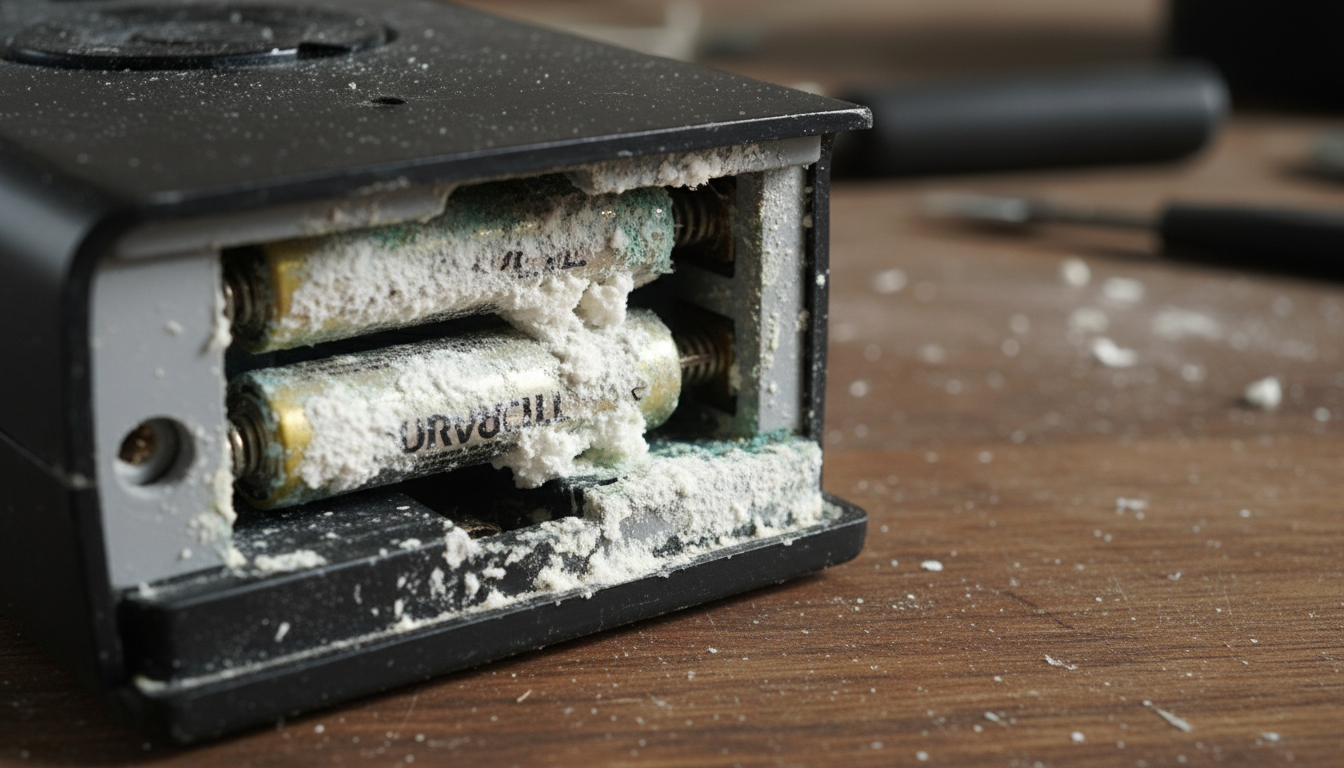
Open up that old flashlight you forgot about, and boom—white flaky crud everywhere. That's potassium carbonate, the residue left behind when alkaline batteries leak. The liquid inside alkaline batteries is potassium hydroxide, which reacts with air to form those white crystals you see.
Battery leakage typically shows up on batteries that have been left in devices for months (or years) without use, especially once they've fully drained. Dead or low batteries are much more likely to leak than fresh ones.
If you spot corrosion, remove those batteries immediately while wearing gloves. The white powder is a base (not an acid, despite what people call "battery acid") and can irritate your skin. You can clean the corrosion from device contacts using white vinegar or lemon juice on a cotton swab—the acid neutralizes the alkaline residue. For more detailed cleaning steps, check out our guide on cleaning battery corrosion from electronics.
The Voltage Reading Is Below 1.1 Volts
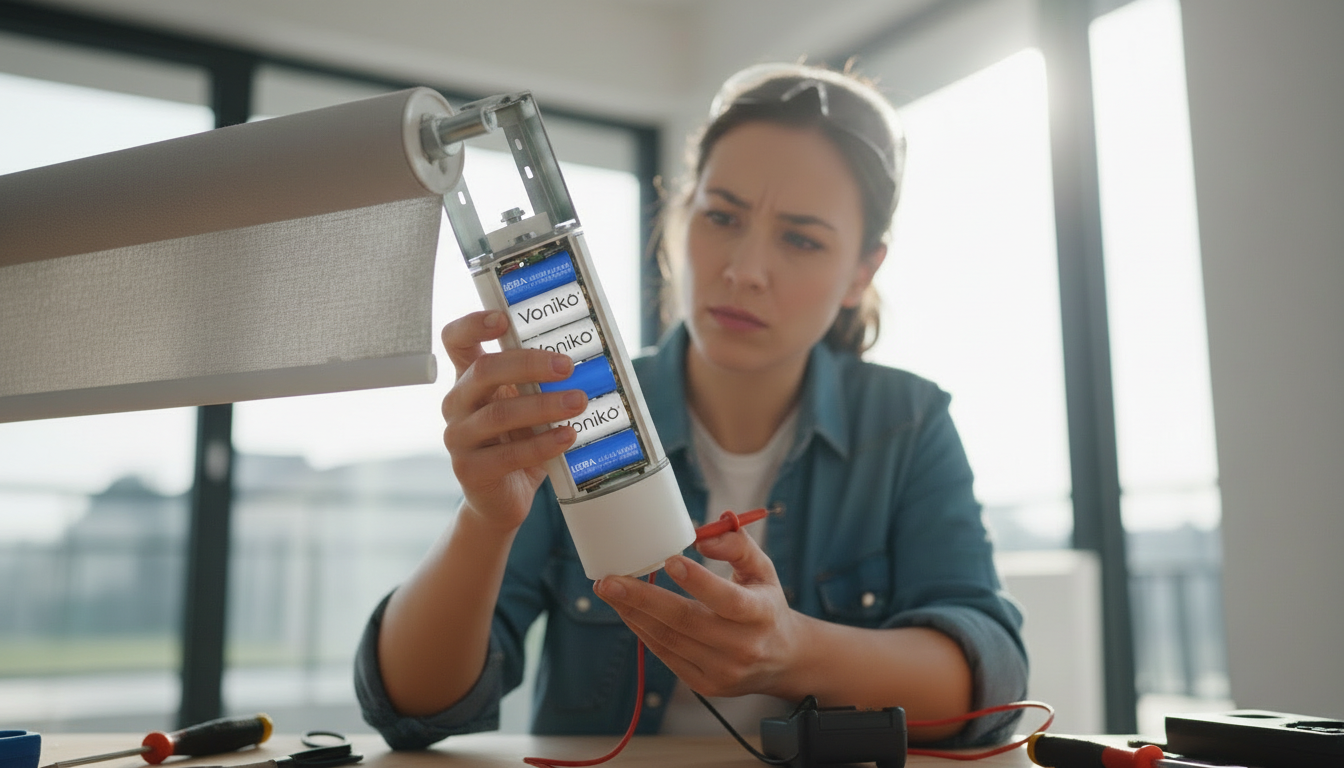
Want a definitive answer? Test the voltage with a multimeter. This gives you hard numbers instead of guessing. Set your multimeter to DC voltage, touch the red probe to the positive terminal and the black probe to the negative terminal.
Here's what the numbers mean:
- 1.5V or higher: Fresh battery, good to go
- 1.3-1.4V: Still has decent charge
- 1.1-1.2V: Getting weak, maybe 10-20% capacity left
- Below 1.1V: Pretty much dead for most devices
- Below 0.9V: Definitely toast
But here's the catch—measuring voltage without a load can be misleading. A battery might show 1.3V when you test it but drop to under 1.0V the moment you put it in a device that actually draws current. That's why battery testers that apply a load during testing give you more accurate results.
For folks who use lots of batteries, investing in a simple battery tester (they cost like $10) makes life easier. You can quickly sort through your battery drawer and separate the good from the nearly-dead. If you're looking for batteries that hold their voltage longer, consider Voniko's alkaline battery line or our rechargeable options that you can use hundreds of times.
The Battery Bounces When You Drop It
This one's a bit of a party trick, but it actually works for alkaline batteries. Hold an AA or AAA battery about 6 inches above a hard surface (like a table or countertop) and drop it vertically.
What happens? A fresh battery will land with a solid thud and might even stay standing up. A dead or dying battery will bounce and topple over. The bounce happens because the internal chemistry changes as the battery discharges—specifically, zinc inside the battery converts to zinc oxide, which forms a gel that's less dense and more springy.
But before you go bouncing all your batteries, know this: research from Princeton University found that while the bounce test can tell you if a battery is fresh, it doesn't always accurately tell you if it's completely dead. The bounce reaches a maximum level before the battery is fully drained. So use this as a quick screening tool, not a definitive test. And it only works with alkaline batteries—don't try this with lithium batteries or rechargeables.
Conclusion
You now have five solid ways to tell if your alkaline batteries are calling it quits: sluggish device performance, physical swelling, visible corrosion, low voltage readings, and the bounce test. Most of the time, you won't need fancy equipment—just pay attention to how your devices behave and give batteries a quick visual inspection.
The best practice? Don't wait for batteries to die completely in your devices. Remove batteries from things you won't use for a month or more, store batteries in a cool dry place, and never mix old and new batteries in the same device. Those simple habits prevent leakage and keep your electronics safe.
And when it's time to replace those dying batteries, choose quality. At Voniko Batteries, we offer a full range of power solutions—from reliable alkaline batteries to high-performance lithium options and eco-friendly rechargeables. Because life's too short for weak batteries.
FAQs
Can I recharge alkaline batteries that are dying?
No, standard alkaline batteries are designed for single use only. While some specialty chargers claim to revive alkaline batteries, it's not safe or reliable long-term. The batteries can leak or rupture during charging. If you want rechargeable options, look for NiMH batteries specifically labeled as rechargeable, which can handle hundreds of charge cycles safely.
How long do alkaline batteries last in storage?
Quality alkaline batteries typically last 5-10 years when stored properly. Store them in a cool, dry place at room temperature or slightly below. Avoid extreme heat (like hot cars in summer) or cold (refrigerators actually shorten battery life). Keep them in their original packaging until you need them, which prevents accidental contact with metal objects that could cause discharge.
Why do some devices drain batteries faster than others?
It comes down to power consumption. High-drain devices like digital cameras, motorized toys, or LED flashlights pull more current and drain batteries much faster—sometimes in just hours. Low-drain devices like TV remotes, wall clocks, or wireless keyboards sip power slowly and can run for months or even years on the same batteries. Match your battery type to the device's needs for best results.
Is it safe to touch battery corrosion with bare hands?
Not recommended. The white powder from leaking alkaline batteries is potassium carbonate or potassium hydroxide, which is caustic and can irritate your skin. Wear gloves when handling corroded batteries, and wash your hands immediately if you do make contact. If any gets in your eyes, flush with water right away and seek medical attention. The good news? It's not as dangerous as car battery acid, but you still want to handle it carefully.
What should I do with dead alkaline batteries?
Recycle them properly—don't just toss them in the trash. Many retailers, electronics stores, and municipal recycling centers accept alkaline batteries for recycling. Some areas even require battery recycling by law. Leaking or corroded batteries should go in a sealed plastic bag before you drop them off. Proper disposal keeps harmful materials out of landfills and allows valuable materials to be recovered and reused.